Macro Page Organizer
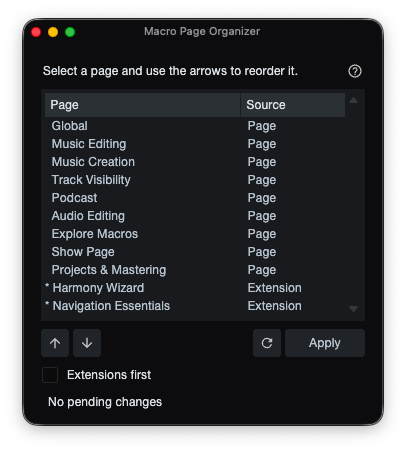
A Studio Pro panel for reordering and managing macro pages in the Macro Toolbar page list.
Click for details
The Macro Page Organizer package in this repository demonstrates:
- A
FrameworkServiceandWindowClasspanel - A
Host:ListViewModelpopulated with macro and macro extension pages - Applying page order changes to the live Macro Toolbar page list
- Persisting the Extensions first preference
Source Code Files:
Key features:
- Reorder macro pages with simple arrow buttons
- Double-click a saved page to rename it; right-click to remove it
- Put extension pages first in the list
Overview
The organizer lists macro pages from local://$USERCONTENT/Macros/commandbar-v3.xml and extension .macropage files from extensions in the Studio Pro Extensions folder. Both appear in one list.
Usage
- Open Find Command (Ctrl/Cmd + K): then search and select "Macro Page Organizer" to open the panel.
- Select a macro page in the list and use the arrows to reorder it.
- Choose Apply to update the Macro Toolbar page list.
Tips
- Extension macro pages are marked with an asterisk and Extension source label. These cannot be renamed, removed, or reordered independently.
- Enable Extensions first to place extension macro pages at the top of the list.
Development Note: This script and its documentation were developed with the assistance of agentic coding tools.